For practice managers and senior receptionists
For the person who keeps the front desk running when the waiting room is full
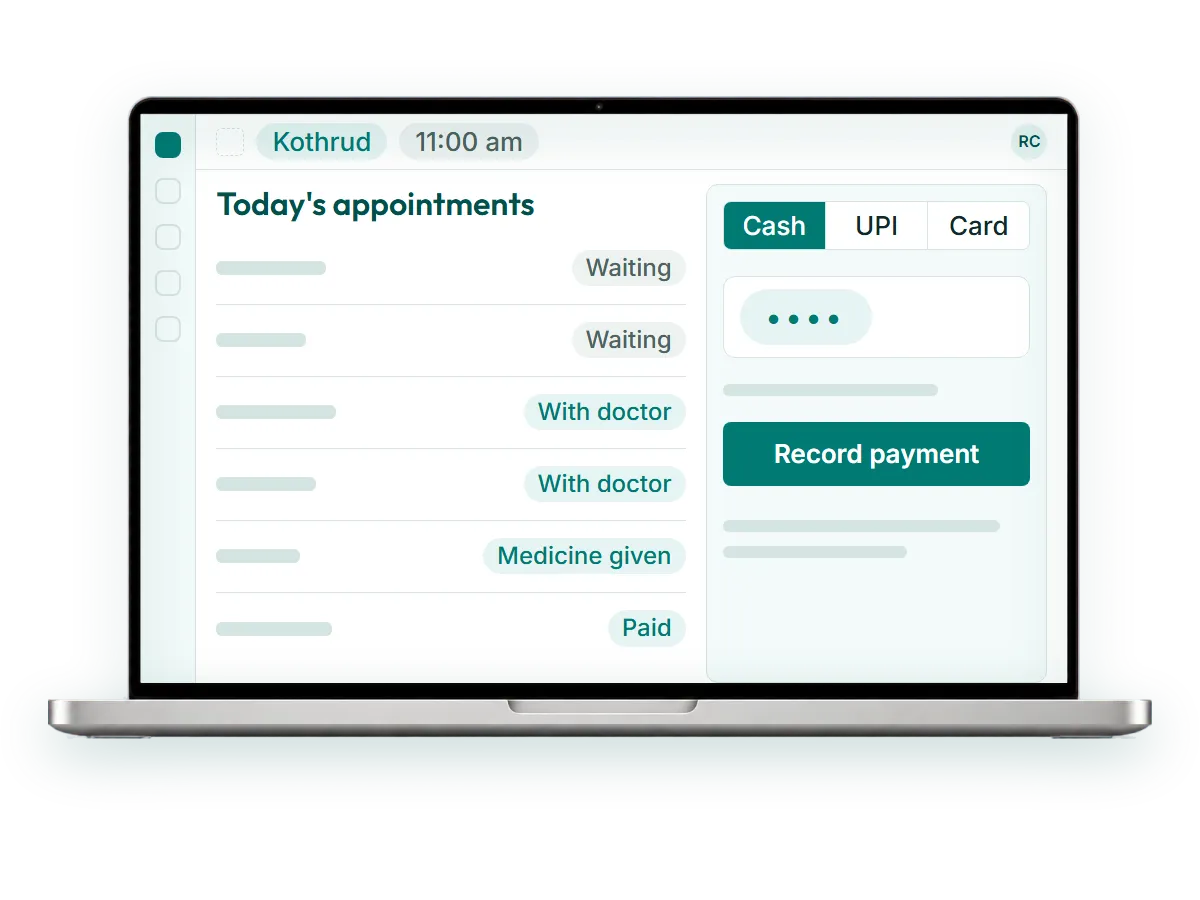
RevisitPlus is homeopathy software built around the front desk. Reception registers patients, assigns a doctor, tracks medicine and takes payment by cash, UPI or card on one screen, with every payment tied to a visit. Follow-up calls come from a list, not a register. Each role is trained on its own screen, and a clinic can start with one branch or one workflow.
What your day looks like today
The desk opens at 9.30. By 9.45 there are four people waiting and the phone is ringing.
You register a new patient in the case register, write the file number on a card, and walk the file to Dr. Kulkarni's cabin. Mrs. Deshpande is at the counter for her medicine. Was it two bottles or three? You check the prescription slip. The phone again: someone who saw the clinic on Facebook wants to know the timings. You write their number on the notepad by the phone.
At noon, a patient asks for a receipt for last month's payment. That means the payment notebook, a pen, and the carbon pad.
Lunch is when you are meant to call the follow-up patients. The list is in the appointment diary, spread over three pages, and half the numbers are written in someone else's handwriting. You call six. You leave messages for four.
At day end you count the drawer. Cash is short by a small amount. UPI is on your phone, card on the machine slip. You add them, write the total, and message it to the owner. The owner calls back to ask why it is different from yesterday.
You are good at this job. It just lives on paper, on the notepad, and in your head. On the day you are on leave, the clinic finds out how much.
The three things that change
- 1
One screen for the whole desk
The Receptionist Dashboard holds the morning on one screen. Register the patient, assign the doctor, set the appointment status, track the medicine given, take the payment. The doctor's list updates as you work, so you stop walking files between cabins. When the counter screen is busy, you can register a patient and take a payment on the Android app as well.
- 2
Calls come from a list, and the list remembers
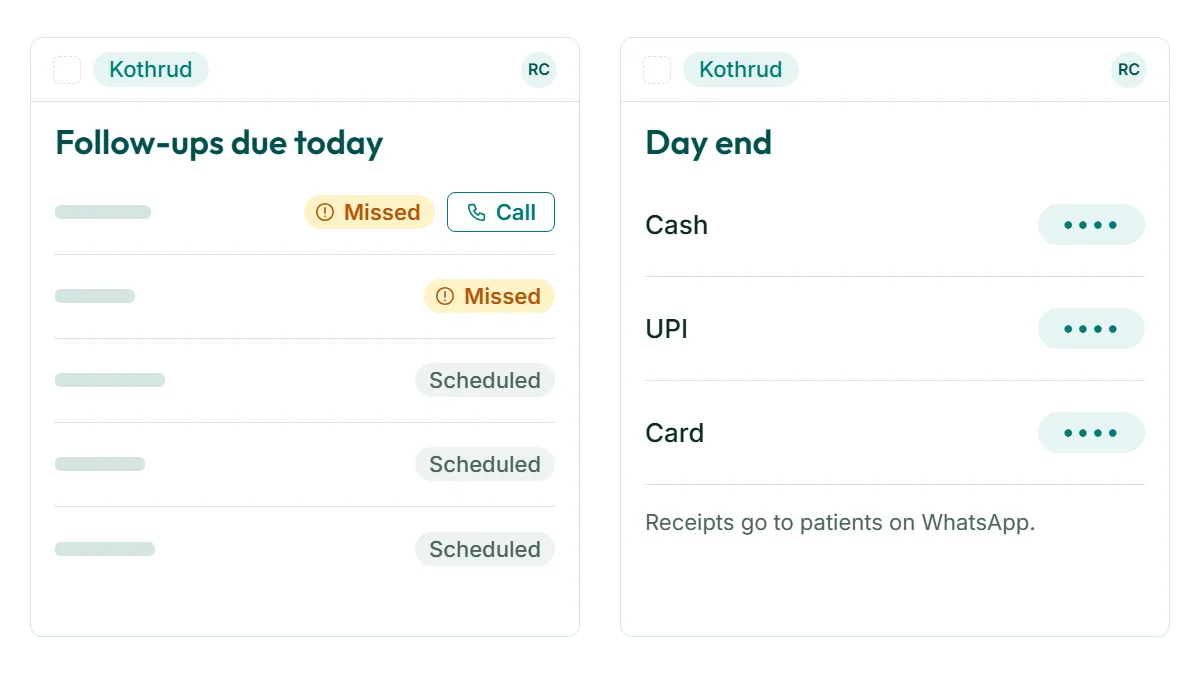
New enquiries from Facebook and the website land in the Leads list, and you add phone and walk-in enquiries to it. Each call is logged. The follow-up list shows today's due patients and anyone who missed their visit, the same day. The patients you could not reach stay on the list until someone does. When you are on leave, the next person opens the same list.
- 3
Day end adds itself up
Each payment is recorded against a visit by mode: cash, UPI or card. At day end, RevisitPlus shows the totals by mode, and receipts go to patients on WhatsApp. If the drawer is short, you can see which visits to check. The owner sees the same totals on their phone, so the evening call becomes a short one.
Training your team, without stopping the clinic
- 1
New software fails at the desk, not in the demo. So we plan for the desk, and a dedicated project coordinator from Accucia runs the setup and training with you.
- 2
Start small. Go live at one branch, or with one workflow. A sensible order is registration and payments at reception first, then add follow-up calls, then hand doctors their dashboard.
- 3
Train by role. Reception learns the Receptionist Dashboard. Doctors learn the Doctor Dashboard. The owner learns reports. Nobody sits through screens they will never use. Access follows the same logic: staff can be limited to their own branch's patients and reports, while the owner and the managers they choose see every branch.
- 4
Keep old files moving. Doctors add old records during normal consultations as patients come in. You are not asked to type in years of registers before go-live.
- 5
Ask for changes. Statuses, lead sources, schemes and labels are configured to the words your desk already uses. When something does not fit after go-live, the same Pune team changes it.
See the full Receptionist Dashboard
Modules you will use most
Proof
Since we brought in their software it has been really easy. They have made all our lives really easy, managing all the data in a more organised way.
Dr. Pratik Jain
Chief Homoeopath, Dr. Tathed's Homeopathy And Healing Center, Pune
Reception and doctors at Dr. Tathed's Homeopathy And Healing Center in Pune, a practice running for almost three decades across three branches, use RevisitPlus every day.
We do not publish outcome percentages until they are measured from the system and signed off by the clinic.
Frequently asked questions
How long does it take reception to learn RevisitPlus?
Can we start with just one part of the system?
Do we have to enter all our old patient records first?
Can the screens use the words our clinic already uses?
Show us your front desk. We will show you it running on one screen.
In a 30-minute Patient Journey Review we map your desk from the first phone call to the day-end count, then show the same day running in RevisitPlus with your branch names and statuses.
Pune and Mumbai clinics can have the review in person. Everywhere else, on a call. Pricing is quoted in a written proposal after the review.
Last reviewed: 4 Oct 2026 by the RevisitPlus team