MIS Reports · A RevisitPlus module
Answer any question about your patients from one screen, not three phone calls
A clinic MIS report in RevisitPlus is a filtered list built from the clinic's own daily records: repeat patients, patients by scheme, city, branch, disease and appointment status, and payments by mode. Filters sit on every report, so the owner, the accountant and the marketing person each pull what they need from the same data and export it. Nobody retypes a register.
The problem
The problem this solves
It is the second of the month at a clinic in Kothrud.
The accountant wants last month's collections split by cash, UPI and card, for each branch. The marketing person wants to know how many patients from the Facebook campaign in Pimpri are still on their scheme. The owner wants one number: how many patients came back for their follow-up.
So the practice manager opens three registers, two Excel files and a WhatsApp group. By lunch there are three answers, and none of them agree.
This is the visibility leak. The data exists. It was written down every day by reception and by the doctors. It just lives in places that cannot talk to each other, so every question costs a person half a day, and the questions nobody has time to ask never get asked at all.
How it works in RevisitPlus
- 1
Reports come from the daily work, not from data entry
Reception registers the patient, the doctor writes the prescription and sets the follow-up date, the counter records the payment. Every one of those actions lands in the same record. MIS Reports read from that record directly. Nobody compiles anything at month end.
What this gets you: reports that are current the moment the last patient leaves.
- 2
Pick a report, then filter it
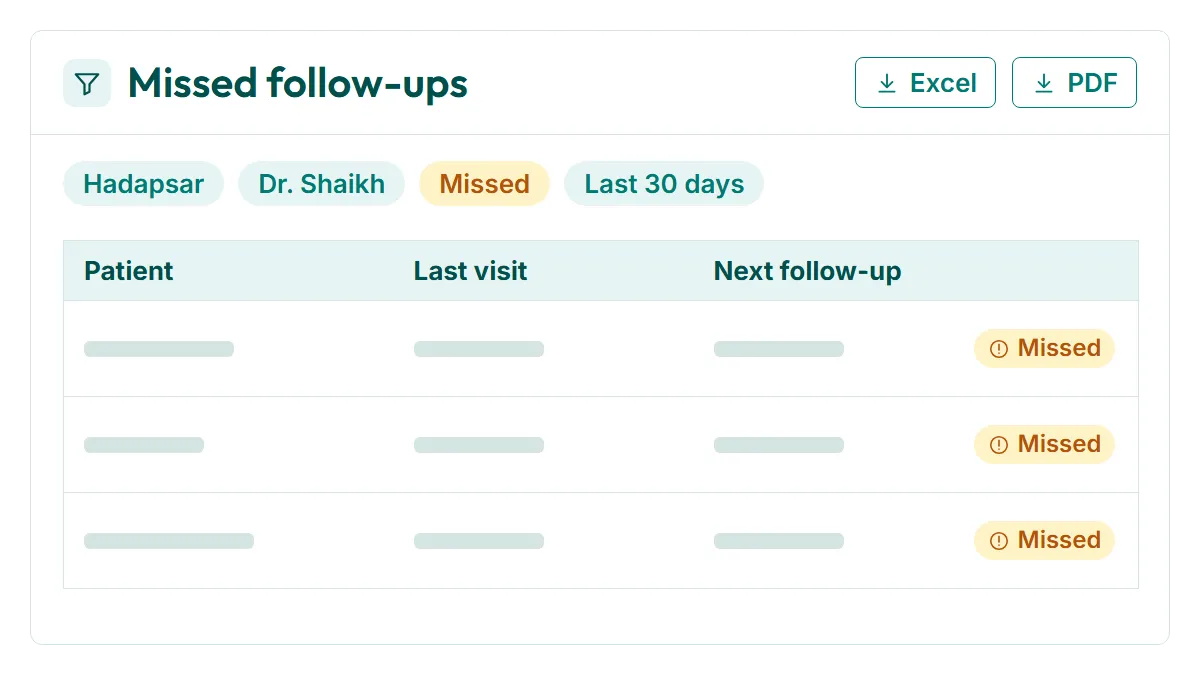
The standard reports cover repeat patients, patients by scheme, patients by city, patients by branch, patients by disease, patients by appointment status, and payments by mode. Each one has filters for date range, branch, doctor, scheme, city and status. Stack them. "Missed follow-ups, Hadapsar, Dr. Shaikh, last 30 days" is one filtered view.
What this gets you: the exact list you need, without asking someone to build it.
- 3
Patient report by scheme
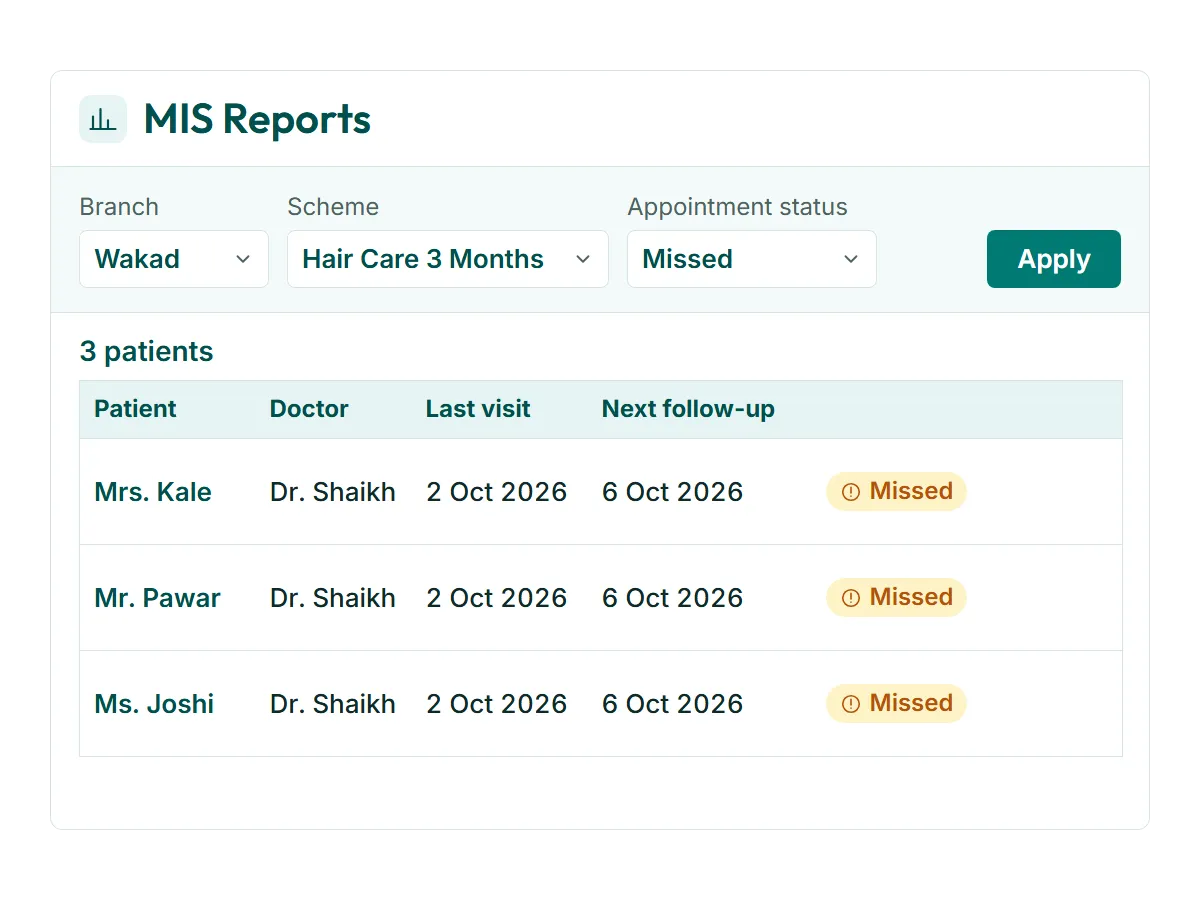
Clinics that run treatment schemes need to see each scheme as its own group. The scheme report lists every patient enrolled, their branch, their doctor, their last visit and their next follow-up date. Filter it to one scheme and one branch and you can see which patients have gone quiet. The schemes are the ones your clinic sets up in the Scheme Master. See treatment schemes
What this gets you: a scheme you can manage patient by patient, not as a rough total.
- 4
Repeat patients and Revisit Rate
The repeat patients report shows who came back and who did not. RevisitPlus tracks Revisit Rate, the share of patients who return for their next scheduled follow-up, by branch, doctor and scheme. See how Revisit Rate is defined
What this gets you: the one measure that tells you whether the clinic keeps its patients.
- 5
Export when someone needs the file
Any filtered report can be exported to Excel or PDF. The accountant takes the payments-by-mode file for the books. The marketing person takes the city list for the next campaign. The data in the system stays as it is.
What this gets you: no more copying figures from one screen into another by hand.
- 6
Reports configured to your clinic
Your branches, doctors, schemes, cities, lead sources and appointment statuses are set up during onboarding, so the filters use your names. If you need a report the standard set does not have, the same Pune team adds it after go-live.
What this gets you: reports in the words your staff already use.
Who uses it
Owner
Checks repeat patients and Revisit Rate by branch every week. Looks at which schemes are holding patients and which are not. The headline numbers also sit on the Owner Dashboard.
Practice manager
Runs the missed follow-up list for each branch every morning and hands it to reception for calls. Checks appointment status reports at the end of the week.
Doctor
Filters by disease and by their own name to see how their chronic cases are moving. Useful before a scheme review.
Old way vs RevisitPlus
| Old way | With RevisitPlus | |
|---|---|---|
| Collections by mode for the month | Add up each branch's register, then call to check the UPI total | Payments by mode report, filtered by branch and month |
| Patients on a scheme | Count from the scheme file, which is never quite up to date | Scheme report with every enrolled patient and their next follow-up |
| Who missed their follow-up | Doctor remembers, or nobody does | Appointment status report, filtered to Missed, by branch and doctor |
| Patients by city for a campaign | Guess from addresses on registration cards | Patients by city report, exported for the marketing person |
| Repeat patients | Not measured | Repeat patients report and Revisit Rate by branch, doctor and scheme |
| Disease-wise case load | Flip through case files | Patients by disease, filtered by doctor |
| Sharing a report with the accountant | Photograph the register, send on WhatsApp | Export the filtered report |
How it connects to the rest
What Dr. Tathed's team says
“They have always been very cooperative with our changes, and they have customised it as per our liking.”
Frequently asked questions
What is a clinic MIS report?
Can I see a patient report by scheme?
Can our accountant use the reports without access to patient records?
Can we export the reports?
What if we need a report that is not in the list?
Bring the question you ask every month
In a Patient Journey Review, tell us the report you spend the most time building today. We will show you where the same answer sits in RevisitPlus, filtered to your branch names.
30 minutes. In person for Pune and Mumbai clinics, on a call elsewhere.
Last reviewed: 4 Oct 2026 by the RevisitPlus team