Receptionist Dashboard · Feature
A front desk that closes the day with every payment matched to a visit
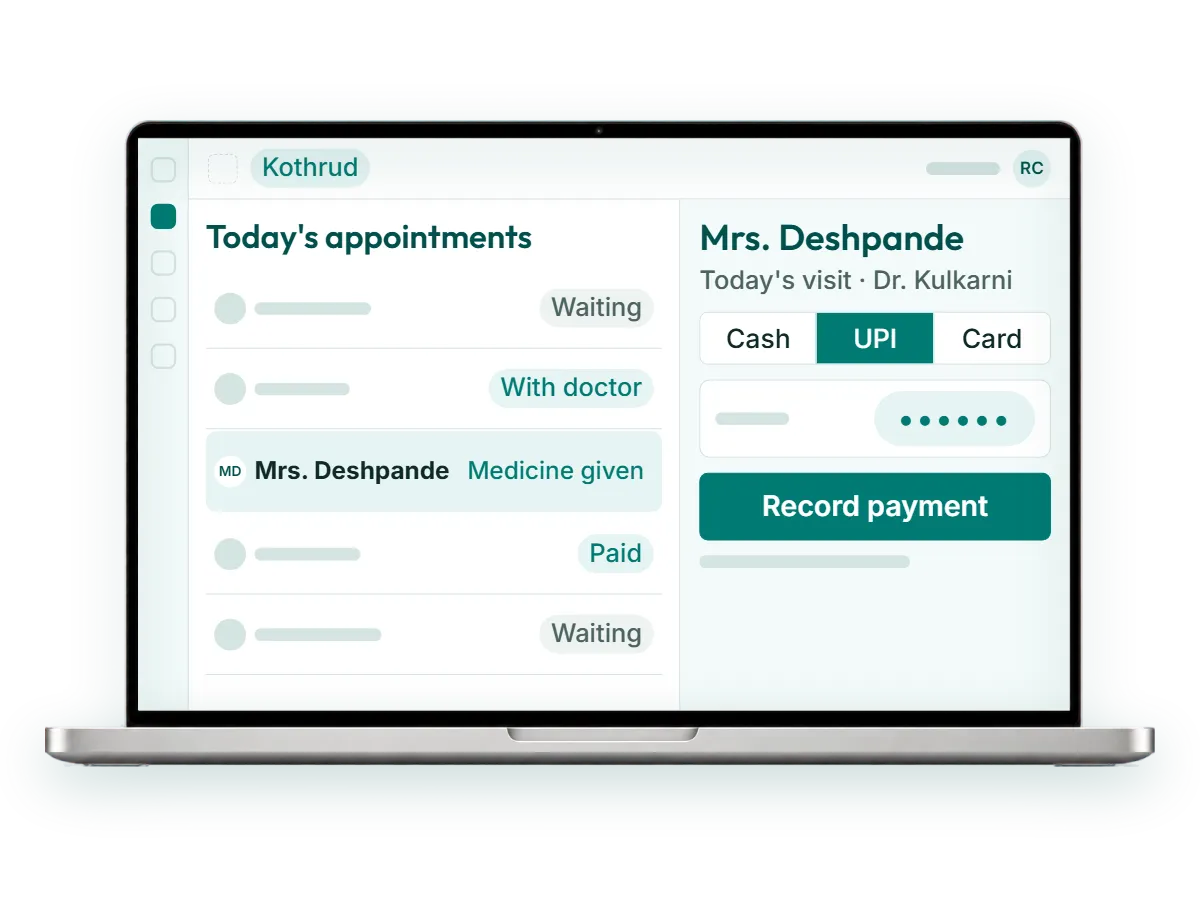
The Receptionist Dashboard is the screen your front desk works from all day in RevisitPlus. Reception registers new patients, assigns each one to a doctor, tracks the medicine given, and takes payment by cash, UPI or card. Every payment is tied to a visit, and every appointment carries a status, so the day-end total and the day's patients match.
The problem
The problem this solves: the counter leak
Kothrud branch, 10:40 on a Monday morning. Seven people are waiting. Two are new, filling a paper form on a clipboard. One is a follow-up patient who wants to know if her medicine is ready. A father is holding his phone up to the glass, showing a UPI screenshot, asking if the payment went through.
The receptionist writes the new patients into the register, finds the old patient's file in the cupboard, and calls out to the dispensary about the medicine. She notes the UPI payment on a slip to enter later. The doctor's assistant comes out to ask who is next.
At 8:30 pm someone counts the cash drawer, adds the UPI entries from the phone, adds the card slips, and compares it with the register. It is short. Not by much. Nobody can say which visit it belongs to, so it gets written off or argued about.
That is the counter leak. No one is careless. The register was built for a clinic with fewer patients, fewer payment modes and one person at the desk.
Multiply it by three branches and the owner is reading three registers, in three handwritings, on a WhatsApp photo sent at 9 pm. The money is probably all there. The trouble is that nobody can prove it, and a growing clinic cannot run on probably.
How it works in RevisitPlus
- 1
Register the patient once
A new patient is registered on the dashboard, either fresh at the counter or from a lead that reception already called and booked. The file is created once and every branch can open it.
What this gets you: no clipboard forms to type in later, and no duplicate paper files across branches.
- 2
Assign the doctor
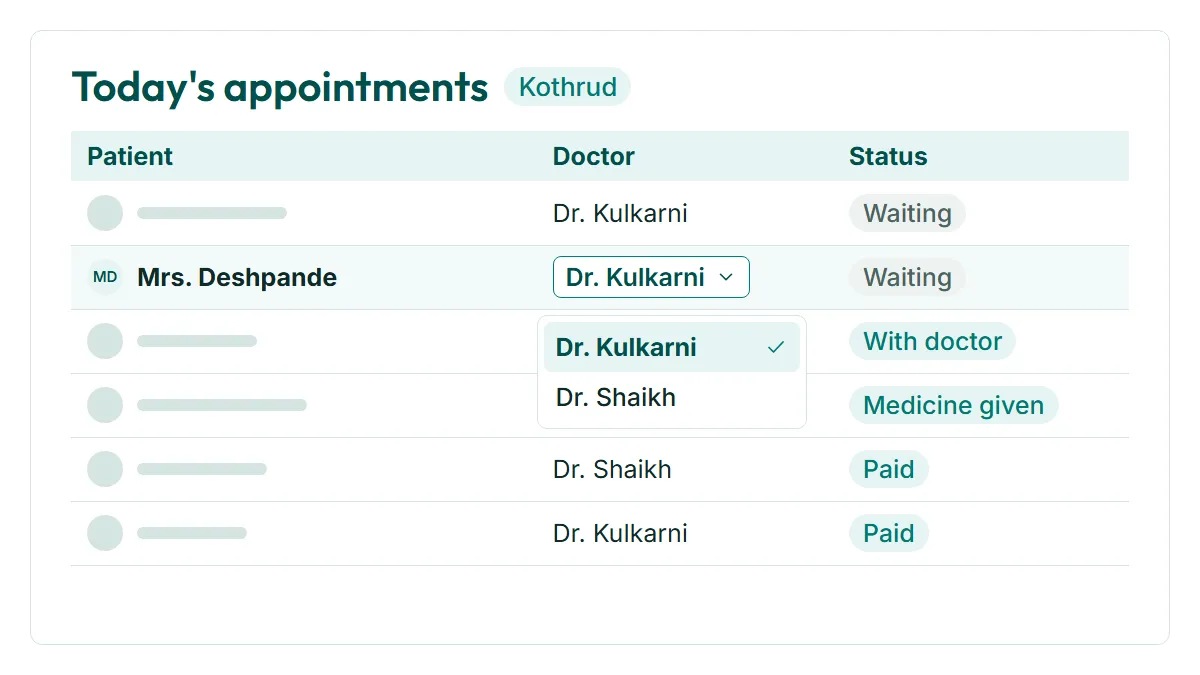
Reception assigns the patient to the doctor on duty, and the patient appears on that doctor's list for the day. If a doctor runs late or a patient asks for someone else, reception changes it on the same screen.
What this gets you: the doctor's assistant stops coming out to ask who is next.
- 3
Track every appointment by status
Each appointment moves through the statuses your clinic chose at onboarding, for example booked, arrived, with doctor, medicine given, paid. Anyone at the desk can see where each patient is.
What this gets you: a waiting room you can read at a glance, even on the busiest Monday.
- 4
Track the medicine
Reception records the medicine given against the visit, so the counter and the dispensary are looking at the same list. The patient who asks "is my medicine ready" gets an answer without a shout across the room.
What this gets you: medicine and payment stay attached to the same visit.
- 5
Take payment, tied to the visit
Payment is taken by cash, UPI or card and recorded against that day's visit. This is OPD billing the way a homeopathy counter actually works: per visit, per mode, with the patient's name on it. Receipts can go to the patient on WhatsApp.
What this gets you: every rupee in the drawer has a visit next to it.
- 6
Close the day with totals by mode
At day end the dashboard shows totals by cash, UPI and card for the branch. The drawer is counted against a number the system already knows.
What this gets you: the day-end count starts from the right number, and a gap points to a named visit.
Who uses it
Reception
Lives in this screen from opening to day end. Registers, assigns, tracks, takes payment, on the web at the counter or on the Android app. The day's missed visits show here the same day too.
Practice manager
Checks status by branch during the day and the day-end totals before they reach the owner. Spots the branch where payments are being entered late.
Owner
Rarely opens this screen. Sees what it produces on the Owner Dashboard: today's collections by payment mode, branch by branch.
Doctor
Never touches the counter, but feels it. The patient reception assigns appears on the doctor's list with the case history open, and nobody has to knock on the cabin door to say who is next.
Old way vs RevisitPlus
| Old way | With the Receptionist Dashboard | |
|---|---|---|
| New patient | Paper form, typed later or never | Registered once, at the counter |
| Who sees which doctor | Called out across the waiting room | Assigned on screen, on the doctor's list |
| Where each patient is | Ask the assistant | Appointment status on one screen |
| Medicine given | Separate dispensary register | Recorded against the visit |
| UPI payments | Screenshot on the patient's phone, slip on the desk | Recorded by mode against the visit |
| Day-end count | Drawer, phone and card slips added by hand | Totals by mode already on screen |
| A short drawer | Nobody knows which visit | Every payment has a visit next to it |
| Receipts | Handwritten, if asked for | Sent on WhatsApp |
How it connects to the rest
Frequently asked questions
What is clinic reception software?
Does it handle OPD billing for UPI, cash and card?
Can reception see the doctor's case notes?
How long does it take reception to learn?
Does the patient get a receipt?
See your own counter running in RevisitPlus
In a 30-minute Patient Journey Review we walk through a normal morning at your front desk, from the first patient to the day-end count. Then we show the same morning in RevisitPlus with your branch names and your payment modes.
Pune and Mumbai clinics can have the review in person. Everywhere else, on a call. How pricing works. How it runs at a three-branch practice
Last reviewed: 4 Oct 2026 by the RevisitPlus team