Payments · A RevisitPlus module
A counter that matches at day end, at every branch
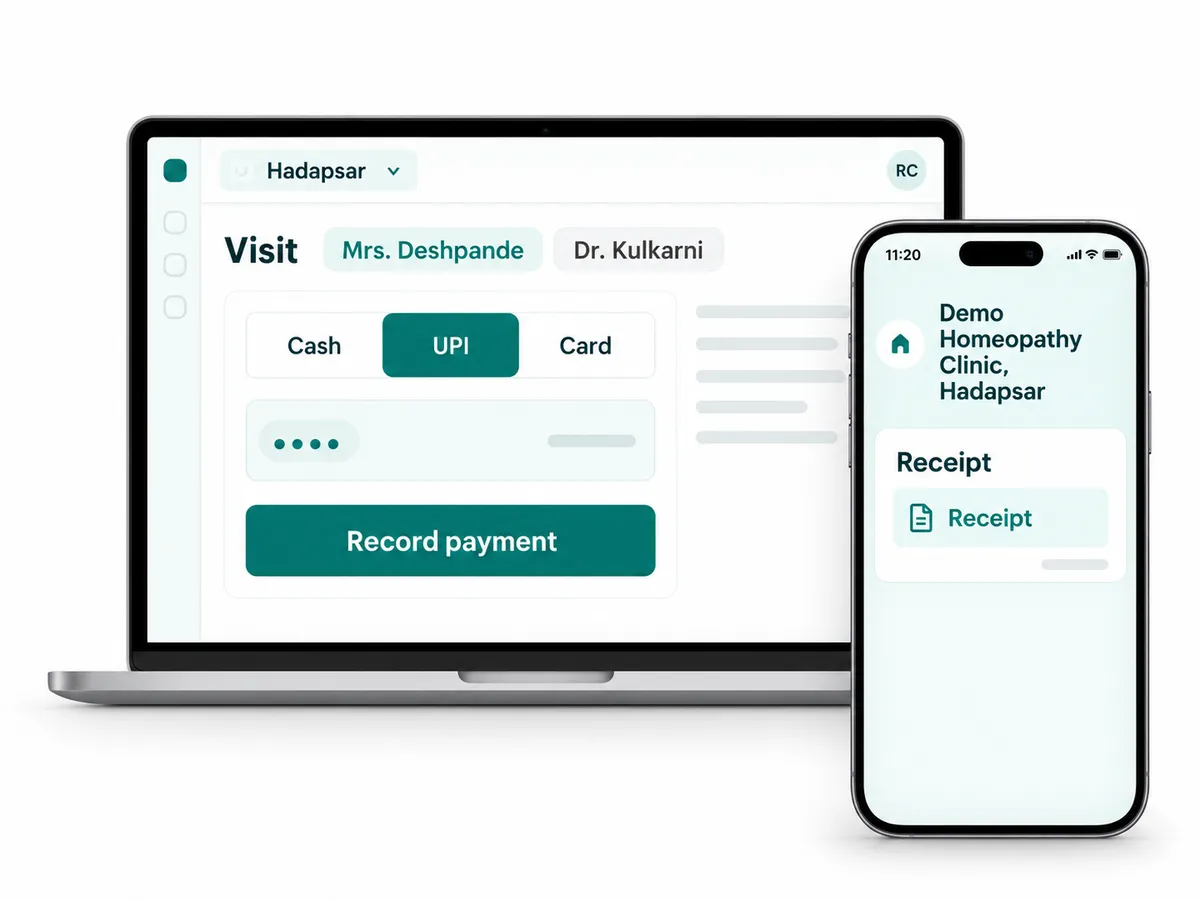
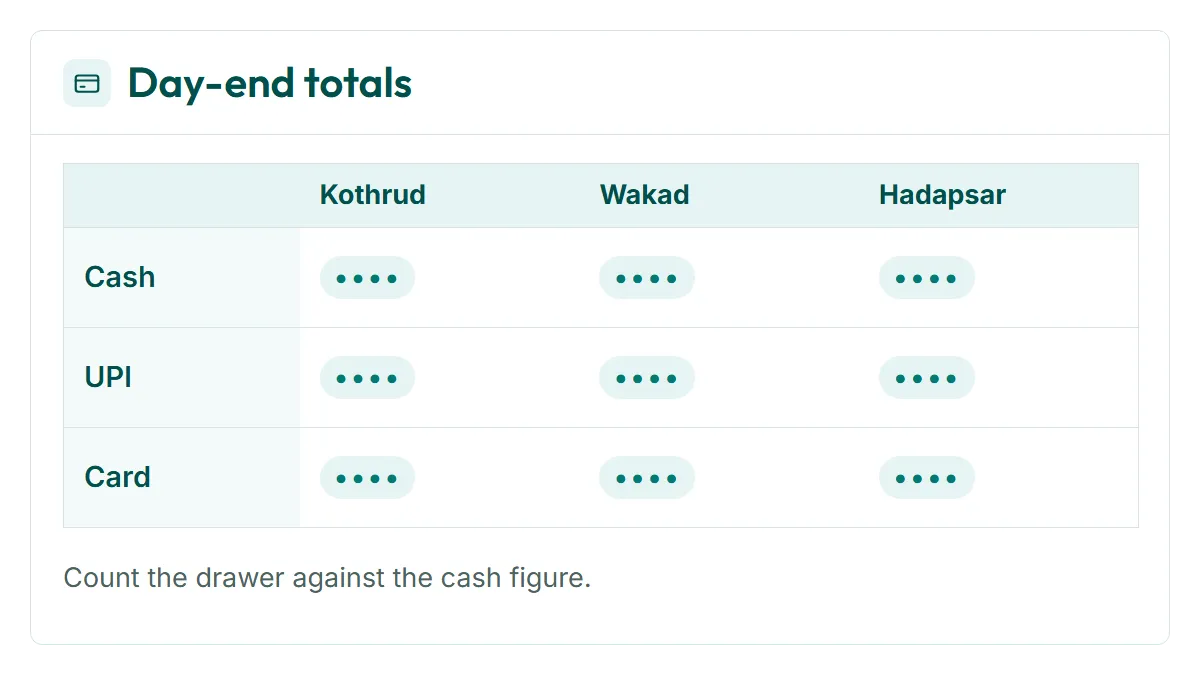
Payments in RevisitPlus is clinic billing software built into the reception desk. Every payment is recorded against a visit, by mode: cash, UPI or card. At day end the system shows totals by mode and by branch, so the counter is checked against one screen. The patient gets the receipt on WhatsApp. The owner sees today's collections on the phone.
The problem
The problem this solves
Seven forty in the evening, Wakad branch. The last patient has gone.
The receptionist opens the register and starts adding. Cash in the drawer, one figure. UPI on the phone, another. Two card slips from the machine. The register says something else again, because one patient paid for two weeks of medicine and it was written on the next line without a name, and one UPI payment came in after the patient had already left.
She calls the owner. The owner calls the Kothrud branch, where the same thing is happening.
This is the counter leak. Cash, UPI and card, written in a register, counted at day end, never quite matching. Nobody is stealing. The money is usually all there. But nobody can prove it quickly, and on the evening it is not there, nobody can say which visit it belonged to.
How it works in RevisitPlus
- 1
Every payment belongs to a visit
Reception takes payment from inside the patient's visit, on the Receptionist Dashboard, on the web at the counter or on the Android app. Consultation, medicine and scheme payments are all recorded against that visit and that patient. There are no loose lines in a register. For a patient on an assigned treatment scheme, the patient log shows the total scheme amount, the amount collected so far and the amount remaining. See treatment schemes
What this gets you: every rupee in the drawer has a patient name next to it.
- 2
The mode is recorded at the moment of payment
Cash, UPI or card. The receptionist picks the mode when she records the payment, so the split is known before the day is over. UPI that arrives late is entered against the same visit.
What this gets you: the UPI total on the phone and the UPI total in the system can be checked line by line.
- 3
Day-end totals by mode and branch
At closing, the day-end view shows the total for each mode at that branch. The receptionist counts the drawer against the cash figure, checks the phone against the UPI figure and the machine slips against the card figure. The owner sees the same totals for every branch, side by side.
What this gets you: a day end that takes minutes and a reason for every difference.
- 4
Receipts on WhatsApp
Once the payment is recorded, the patient can get the receipt on WhatsApp, through the WhatsApp Business API. No printer queue at the counter, and the patient has it on the phone next time they ask.
What this gets you: fewer "please send me last month's receipt" calls.
- 5
Collections on the owner's phone
Today's collections by payment mode sit on the Owner Dashboard, on the web and in the Android app. The owner checks them without phoning any branch.
What this gets you: you know how the day went before reception has closed.
Who uses it
Reception
Records each payment against the visit, picks the mode, sends the WhatsApp receipt, closes the day against the totals.
Owner
Checks today's collections by mode and branch from the phone. Looks at the month in MIS Reports.
Practice manager
Checks each branch's day-end, follows up on any difference the same evening, not at month end.
Old way vs RevisitPlus
| Old way | With RevisitPlus | |
|---|---|---|
| Recording a payment | A line in the register, name sometimes missing | Recorded inside the patient's visit, with the mode |
| Cash, UPI and card split | Worked out at day end from memory and slips | Known from the first payment of the day |
| Day-end check | Add up the register, then argue with it | Totals by mode for the branch, checked in minutes |
| A difference in the drawer | Nobody can say which visit it was | Every payment lists its patient and visit |
| Receipts | Printed, lost, asked for again | Sent on WhatsApp |
| Owner's view of collections | Phone each branch after closing | Owner Dashboard on the phone, every branch |
| Month-end figures for the accountant | Photographs of register pages | Payments by mode report, exported to Excel |
How it connects to the rest
Frequently asked questions
What does clinic billing software do?
Which payment modes does it record?
Can patients get receipts on WhatsApp?
Does it connect to Razorpay or Tally?
Can the owner see collections without going to the clinic?
Close tonight's counter in your head, then see it in RevisitPlus
In a Patient Journey Review, walk us through how your branches close the day today. We will show you the same day end in RevisitPlus, with your branch names and your payment modes. Pricing comes later, in a written proposal, only if you ask. See pricing · Why owners choose RevisitPlus
30 minutes. In person for Pune and Mumbai clinics, on a call elsewhere.
Last reviewed: 4 Oct 2026 by the RevisitPlus team